Sony VCB-62MH RV Camera Monitor Replacement: Complete Installation Guide for RV Coaches
Read full question
I really don't want to replace the entire camera system - that would cost a fortune and the cameras work great. I just need the monitor replaced. Has anyone successfully found a workaround that reuses the existing Sony cameras and wiring? I'd love to keep the automatic switching feature for the side cameras when using turn signals if possible, but at this point I just need something that works and fits in the dash opening.
Quick Answer
Replace discontinued Sony VCB-62MH with video switcher from RVCams plus 7 inch LCD monitor. Reuses existing cameras and wiring. Provides automatic blinker-activated camera switching. Requires custom mounting plate for dash opening.
Short Answer
Yes, your solution using the RVCams CVS100-03 Automatic Video Switcher paired with a generic 7" LCD monitor is an excellent alternative to the discontinued Sony VCB-62MH for your 2008 Phaeton. This approach maintains full functionality including automatic switching to side cameras with turn signals while using readily available components. Your solution costs significantly less than specialty RV monitor replacements and provides the same image quality you had with the original Sony unit.
Understanding the Problem
The Sony VCB-62MH was a popular OEM rear view monitor system used in many high-end motorhomes like your 2008 Phaeton, but Sony discontinued this model years ago. When these units fail, RV owners face limited and expensive replacement options. The original VCB-62MH integrated the video switching logic directly into the monitor, automatically displaying rear camera view normally and switching to side cameras when turn signals activated.
Your approach of separating the switching function from the display is brilliant because it allows you to use any standard composite video monitor while maintaining the automatic switching capability. The CVS100-03 switcher replicates the original Sony's switching logic, taking inputs from rear camera, left side camera, right side camera, and turn signal wires to control which video feed gets sent to the display.
The mounting challenge you identified with RVCams' direct replacement kit is common - newer monitors often have different form factors than the original dash cutouts. Your custom mounting plate solution using 1/8" black plastic addresses this perfectly while maintaining a professional appearance.
What You'll Need
Based on your successful installation, here are the components needed for this repair:
- RVCams CVS100-03 Automatic Video Switcher - approximately $89, (rough ballpark — actual cost varies by region, brand, and model year and changes over time, so get current quotes) handles all camera switching logic
- Generic 7" LCD Monitor with composite video input - $30-60 on Amazon, must accept yellow RCA composite video
- 2-pin Molex connector - for 12V power and ground connections to switcher
- 4-pin Molex connector - for turn signal and backup light trigger wires
- 1/8" black plastic sheet - for custom mounting plate to adapt new monitor to original dash cutout
- Yellow RCA composite video cable - to connect switcher output to monitor input
You'll also need basic tools: drill bits for mounting holes, utility knife or jigsaw for cutting plastic, wire strippers, and screwdrivers. The existing wiring harness from your failed VCB-62MH provides all necessary power and signal wires.
How to Fix It
Start by turning off the ignition and disconnecting the RV's battery, then wait several minutes for capacitors to discharge before removing the failed Sony VCB-62MH from your dash, keeping track of all wire connections. The original unit should have power wires (red and black), video inputs from cameras, and trigger wires from turn signals and backup lights. Test these connections with a multimeter to ensure you have proper 12V power and verify that all camera feeds are working properly before proceeding with the switcher installation.
Install the CVS100-03 switcher in a convenient location behind the dash where it won't interfere with other components. Connect the 2-pin Molex connector to provide 12V power and ground to the switcher - you'll splice into these same wires to power your new monitor. The 4-pin connector handles the trigger inputs: typically blue wire with brown stripes for right turn signal, yellow wire with brown stripes for left turn signal, and green wire for backup signal (wire colors vary significantly by manufacturer and year - always verify with your specific vehicle's wiring diagram before making connections).
Create your custom mounting plate by measuring the original VCB-62MH cutout dimensions and the new monitor's housing requirements. Cut the 1/8" black plastic to cover the original opening, then cut a centered hole sized for your new monitor housing. Test fit everything before final installation - you may need to trim corners and edges as you discovered.
Mount the plastic plate using the original four screw holes from the VCB-62MH installation. Connect the yellow RCA composite output from the switcher to your monitor's video input, then snap the monitor into your custom mounting plate. Test all functions including automatic switching with turn signals and backup activation. The system should return to rear camera view after turn signals are deactivated (timing may vary - see CVS100-03 specifications for exact delay).
Leave It to the Experts
While your solution is well within DIY capability for most RV owners, some situations warrant professional help. If you're uncomfortable working with 12V automotive wiring or don't have experience with multimeter testing, have an RV service center handle the electrical connections. They can ensure proper wire identification and prevent damage to your expensive camera system.
Consider professional installation if your dash removal requires significant disassembly of surrounding components, especially in luxury coaches like the Phaeton where interior trim pieces can be expensive to replace if damaged. Some RV technicians specialize in electronics installations and can complete this modification in 2-3 hours while ensuring all connections meet automotive standards for vibration and temperature resistance.
If you discover additional wiring issues or camera problems during installation, RV electronics specialists can diagnose and repair the entire camera system. They also have access to commercial-grade monitors designed specifically for mobile applications, which may offer better longevity than consumer electronics in the demanding RV environment.
Tools & Supplies You'll Need
 Amartisan 10-Piece Magnetic Screwdrivers Set, 5 Phillips and 5 Slotted Tips
Phillips, flat, and Torx tips for panels, trim, and appliances. View on Amazon →
Amartisan 10-Piece Magnetic Screwdrivers Set, 5 Phillips and 5 Slotted Tips
Phillips, flat, and Torx tips for panels, trim, and appliances. View on Amazon →
 IRWIN Vise-Grip Wire Stripper, 2 Inch Jaw, Cuts 10-24 AWG, ProTouch for
Strips and crimps in one tool — clean connections every time. View on Amazon →
IRWIN Vise-Grip Wire Stripper, 2 Inch Jaw, Cuts 10-24 AWG, ProTouch for
Strips and crimps in one tool — clean connections every time. View on Amazon →
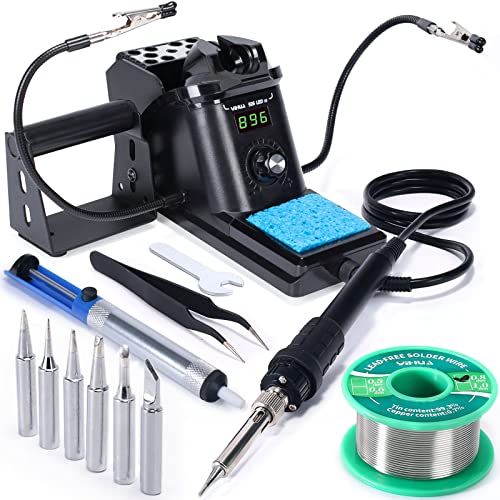 YIHUA 926 III 60W Digital Display Soldering Iron Station Kit w 2 Helping
Adjustable iron + solder for permanent wiring and board repairs. View on Amazon →
YIHUA 926 III 60W Digital Display Soldering Iron Station Kit w 2 Helping
Adjustable iron + solder for permanent wiring and board repairs. View on Amazon →
Still need help? Ask an RV Mechanic
Get a personalized answer from a verified RV mechanic. Describe your specific issue and get step-by-step help for your rig.
Related Repair Guides
- RV Backup Camera Not Working? Complete Troubleshooting Guide
- RV Chassis Battery Draining & Dead Outlets - Troubleshooting
- RV Electrical Problems: 12V & 120V Troubleshooting Guide
- ECM Low Battery Warning RV: Complete Diagnosis & Fix Guide
- Protect Your RV Alternator When Charging Lithium
- RV 12V Lights Dimming: Complete Troubleshooting Guide
- RV 12V Auto Reset Breaker Size Guide: 30A, 40A, 50A Selection
- RV Shore Power Not Working: Complete Troubleshooting Guide
- No 12 Volt Power in RV: Complete Troubleshooting Guide
- RV DC Electrical System: Expert Guide to 12 Volt Systems
Need More Help?
Try our free RV calculators and tools to help diagnose and plan your repairs.
Browse RV ToolsWeight calculator, electrical planner, propane estimator & more
